
CRM & SALES
CRM / MembersSales PipelinePublic Business ProfileWeb Forms & BookingSugar AssistantQUOTES & DOCUMENTS
EstimatesProposalsClient PortalINVOICING & PAYMENTS
Invoices & PaymentsPayment LinksSales ReceiptsSCHEDULING & COMMUNICATIONS
Job SchedulingCommunicationsMileage TrackerACCOUNTING & REPORTING
AccountingReports & ExportsOnline Store SyncSmall Claims & CollectionsTEAM & PEOPLE
Team & PermissionsEmployee RecordsSubcontractorsLOCATIONS & SECURITY
Multi-LocationCorporate AccountsSecure VaultSecurity & AccessBY INDUSTRY
Janitorial & CleaningIT & Low VoltageConstruction & GCAuto & MechanicTrades (HVAC, Plumbing, Electric)BY REGION
Mexico & CFDI 4.0INTEGRATIONS
The processors, storefronts and providers SUITE connects to, and what each one actually does for your business.
Everything on this page is available in SUITE. Some integrations run on credentials from your own provider account — your Stripe key, your Telnyx number, your mail server — and you connect those under Settings. Others, like Apple Pay and Google Pay, need nothing connected at all. What is listed here is what the product does, not a count of how many businesses have switched each one on.
How your customers actually pay an invoice, an estimate deposit or a payment link.
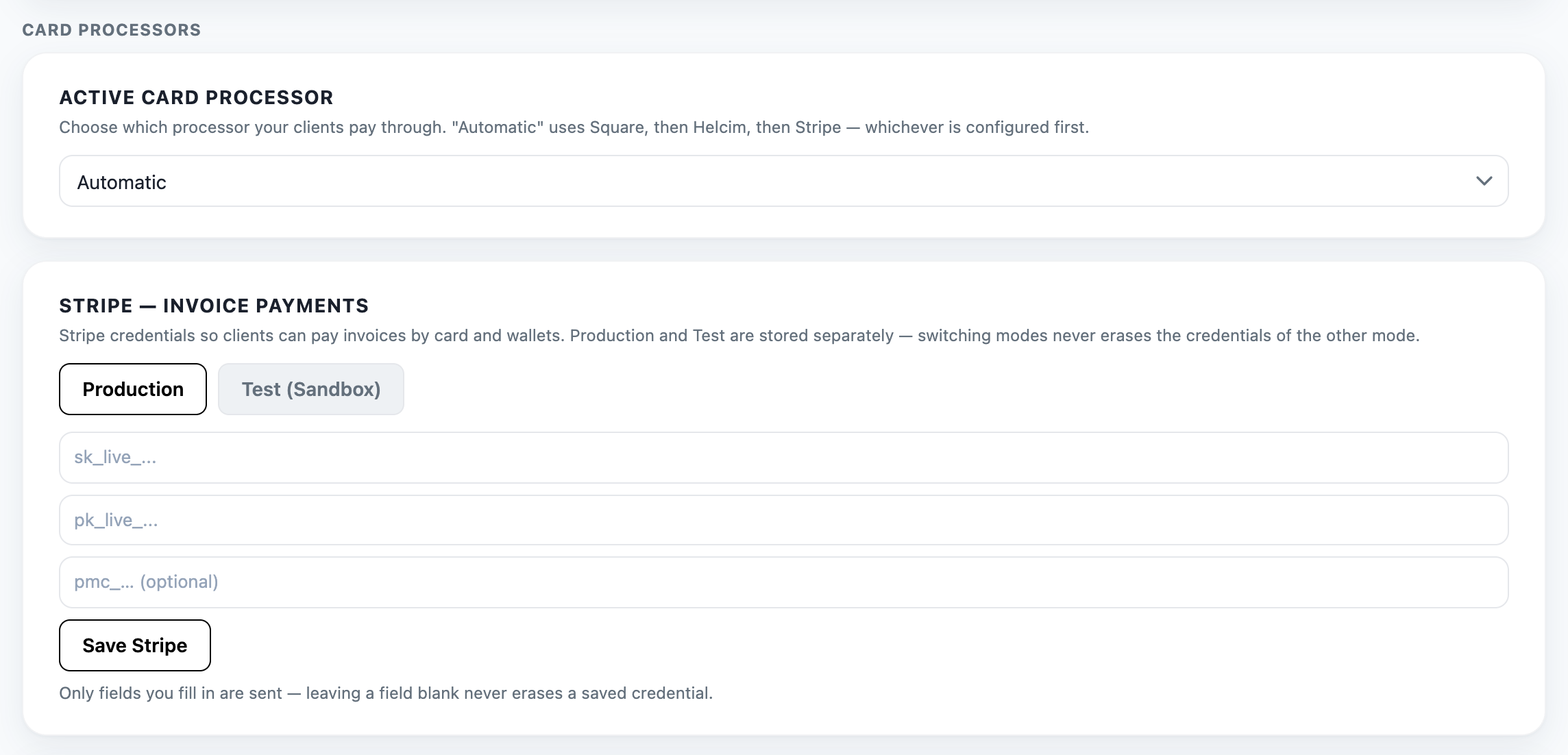
Take card payments on invoices and payment links, with production and test credentials kept apart so switching modes never erases the other set.
Card, Apple Pay and Google Pay all arrive through the same payment sheet.
Card payments through your own Square account, using the same invoice and payment-link flow.
Sandbox and production credentials are stored separately, so testing never disturbs your live settings.
Offered inside the payment sheet on a supported device — nothing separate to connect.
Your customer confirms with Face ID or Touch ID; it rides on the card processor you already use.
Offered alongside card in the same payment sheet.
Nothing separate to connect — it rides on the card processor you already use.
Take card payments on your own Helcim account, through the same invoice and payment-link flow as Stripe and Square.
Connected with your Helcim API token under Settings → Payment Integrations.
Invoicing that satisfies Mexican tax requirements, and taking payment in Mexico.
Stamp CFDI 4.0 invoices with the SAT through an authorised PAC, using your own digital seal certificate.
Register your CSD once; SUITE signs and stamps each document as you issue it.
Take payment from your customers through your own Mercado Pago account, on invoices and payment links in Mexico.
SUITE separately uses Mercado Pago for its own Mexico-region subscriber billing. That is a different thing, and it is never charged to your account.
Keep the products you sell online in step with the books.
Sync your product catalogue and pull orders in, so store revenue lands in the same ledger as your service work.
Connected with a WooCommerce REST API key; products, orders and stock stay in step.
The numbers your customers call and text.
Bring your own Telnyx number for calls and customer texting, tied to your own account rather than a shared pool.
Your API key and your number, so messaging runs on your own account.
Messaging and phone verification through Twilio, alongside Telnyx as the bring-your-own number option for customer calls and texting.
SUITE uses Twilio for the phone verification that protects sign-up.
How invoices, estimates and receipts leave the building.
Send from your own mail server so documents arrive from your domain rather than ours.
Your server, your credentials — SUITE only relays the message.
Send invoices and estimates from your own Gmail mailbox and sync calendar events, by approving SUITE in Google’s own consent screen.
No password is stored — access is granted, and revoked, from your Google account.
Send invoices and estimates from your own Microsoft 365 mailbox and sync calendar events, by approving SUITE in Microsoft’s own consent screen.
No password is stored — access is granted, and revoked, from your Microsoft account.
Reading transactions in, rather than pushing payments out.
Pull bank transactions straight into the accounting ledger, so reconciliation starts from real bank activity instead of manual entry.
Transactions are matched and reviewed before anything is booked, and each connection is scoped to one location.
Payment processors live under Settings → Payment Integrations. You choose which processor your customers pay through, and production and test credentials are kept apart so switching modes never erases the other set.
Real SUITE screen, captured from the public demo account.